Email verification
Ensure every email address you collect is genuine and able to receive messages.
Verify addresses in real-time at point of capture, or clean your existing lists in bulk.
What is email verification?
Email verification is the process of checking if an email is real, active and able to receive email messages
Inaccurate email addresses compound over time. Typos, outdated contacts and role-based emails bloat your database, increasing send costs, distorting reporting and creating avoidable friction.
Verify email addresses to:
Reduce failed deliveries and hard bounces
Protect your sender reputation and deliverability
Keep your CRM clean, accurate and actionable
Eliminate CRM spend for uncontactable records
Maintain ongoing data hygiene and compliance

Test our email verification
Enter an email to see how the email verification can work for your website
This demo uses our JavaScript widget, styled to match our site. Implement as part of your form capture, or use our API or portal options. Read more in our documentation.
Try it out on your website using our 30-day trial with 1,000 free lookups.
No credit card required.
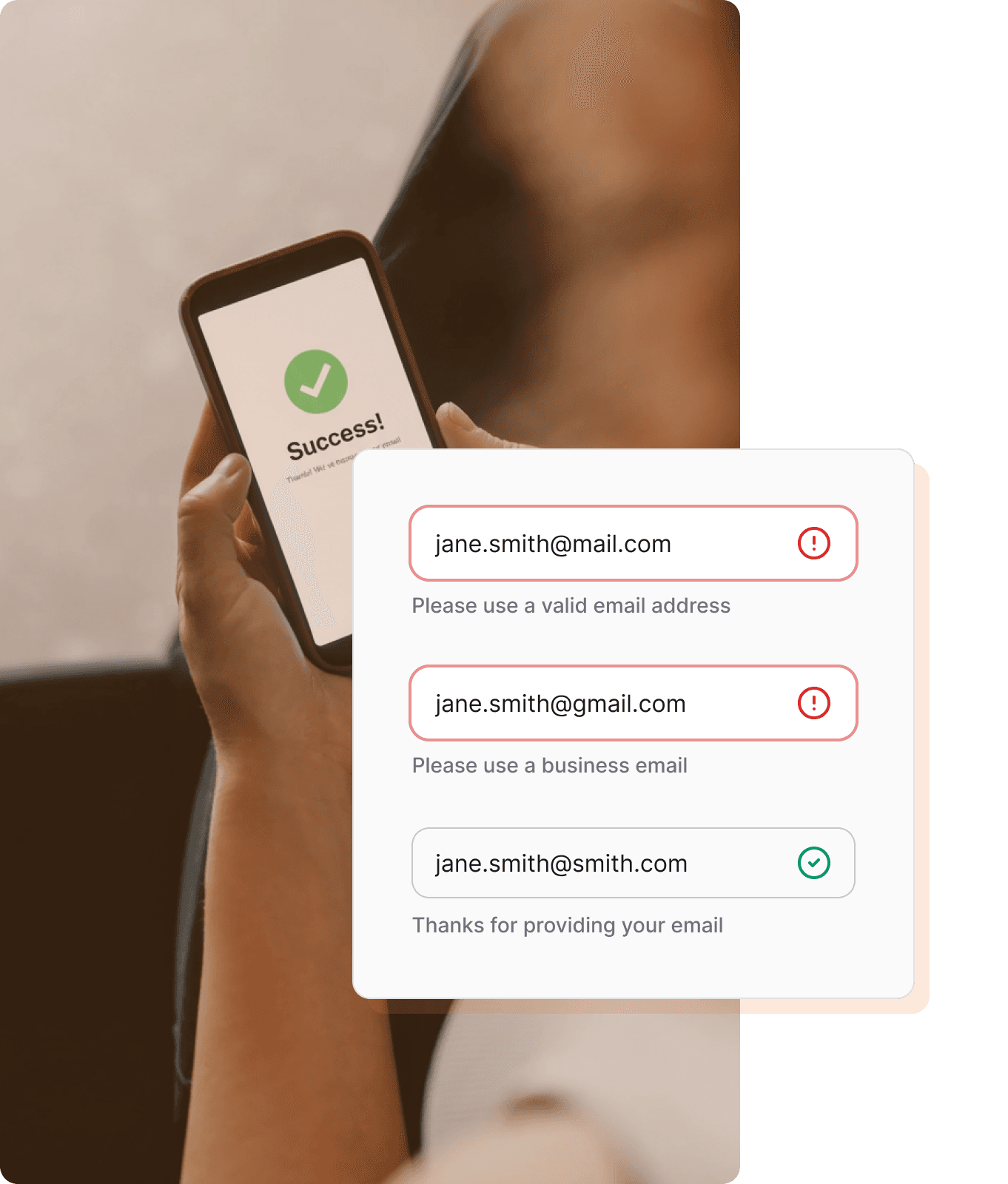
Verify in real-time directly in your forms
Configure the right level of verification for every use case
Your CRM is only as good as the data going in. Add Addressfinder's real-time email verification to any online form and configure it to match the needs of your business, from a fast syntax check to a full server-level verification.
Format check (Lite) - free, instant
Validates email format and syntax in under a second. Best for checkout and signup forms where speed is the priority.
Full verification
Performs syntax, domain and server checks to confirm the address exists and can receive email. Deep checks, tailored to each email provider for more accurate results.
Use real-time email verification to:
Ensure new signups are contactable
Prevent invalid emails from entering your database
Reduce spam and fake accounts
Prevent downstream headaches and fixes
Verify in bulk
Clean and validate your email lists at scale
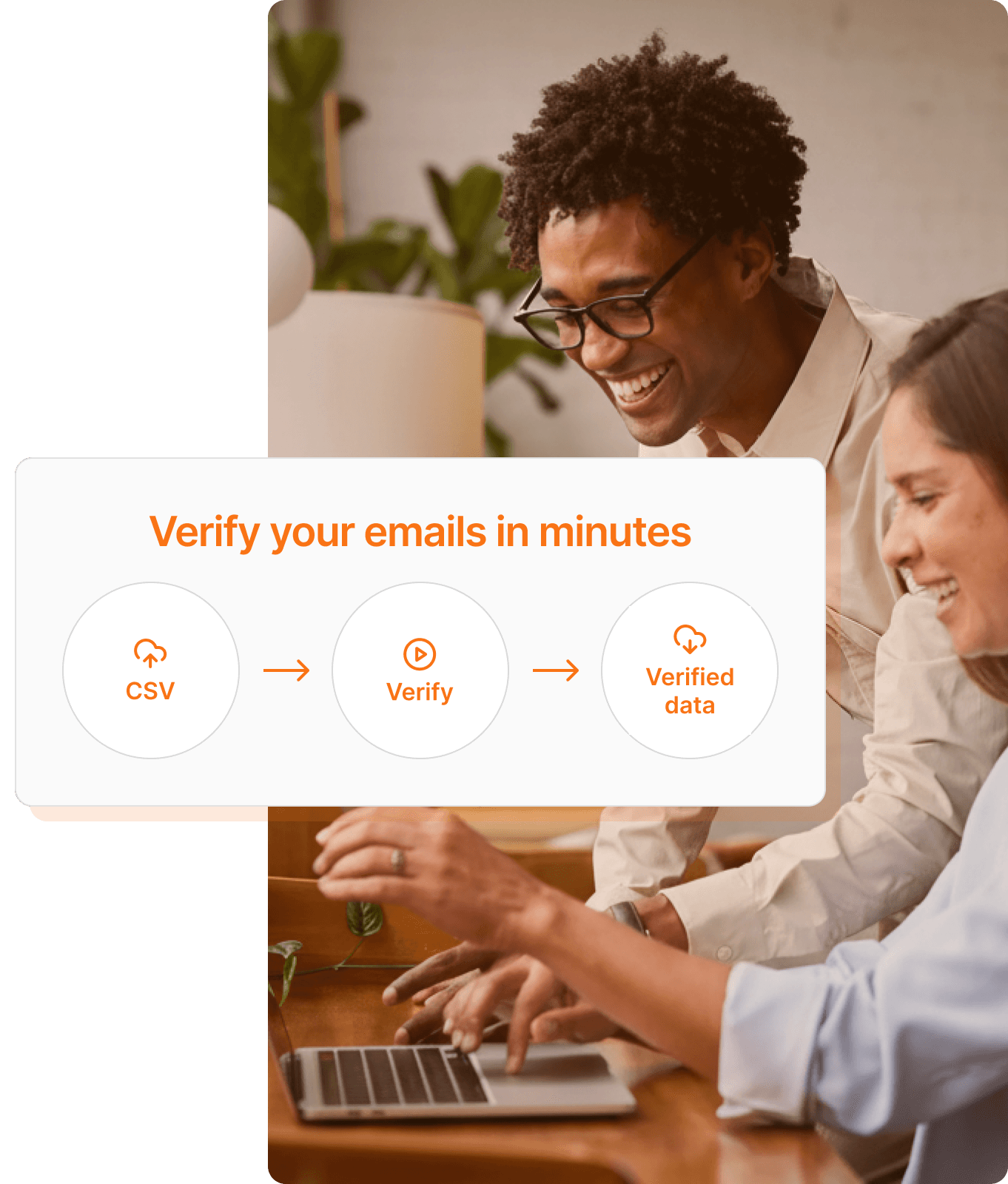
Upload a CSV of your email lists and we'll verify each address and return it with consistently formatted, detailed deliverability metadata.
Built to handle large volumes, our portal processes jobs securely with your data kept in-region throughout. The result is a clean, reliable list you can act on with confidence.
Use bulk email verification to:
Protect your sender score and prevent bounces
Clean and segment lists before a campaign
Cleanse before merging or migrating CRMs
Identify stale users whose emails have become invalid
Remove temporary, catch-all and uncontactable records
Validate new email lists from events or third parties
Ways to use our service
More than a pass or fail
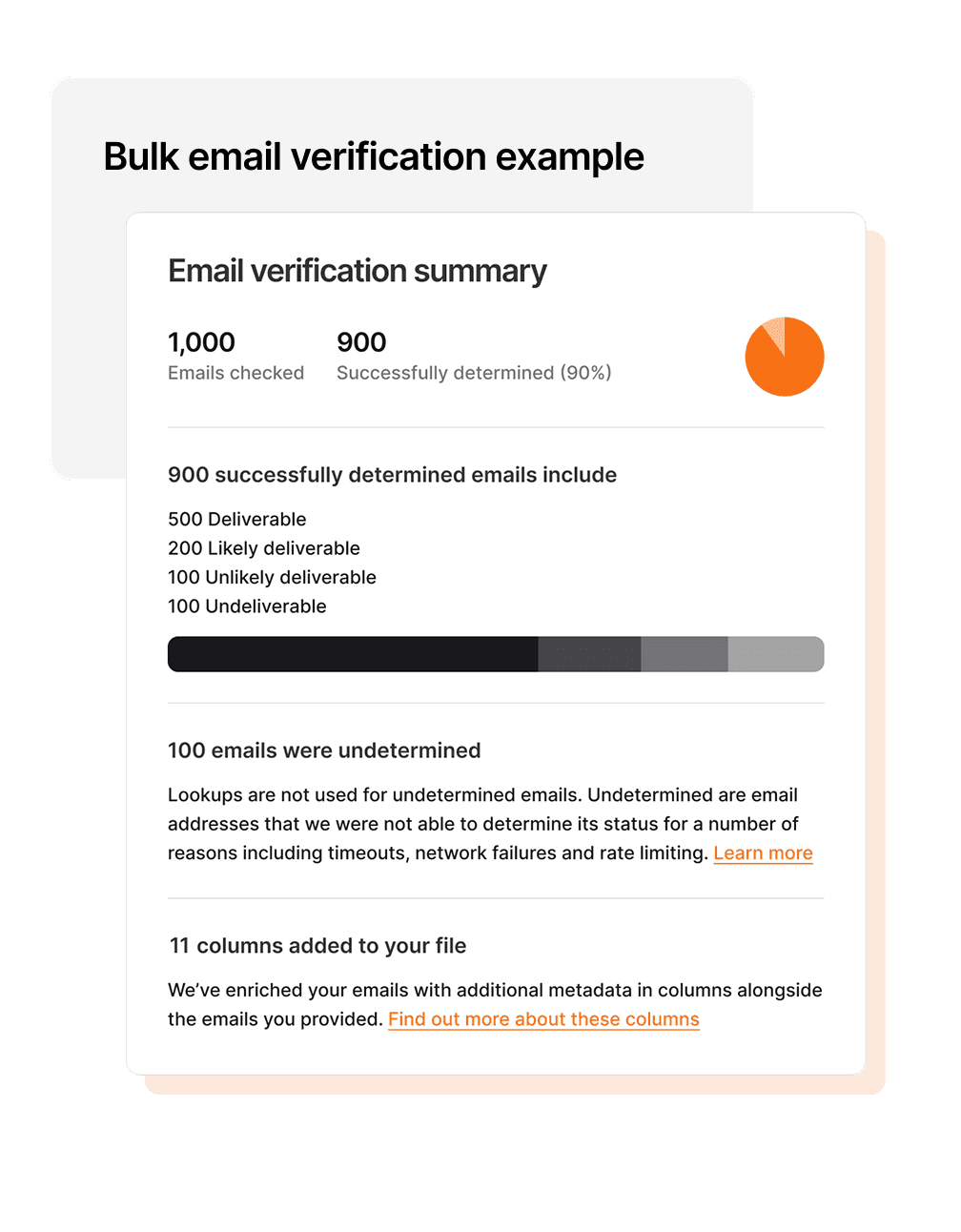
Every verification returns a deliverability determination you can act on
Our deliverability assessment gives you a richer picture of each address, so you can make smarter decisions about how to use your data rather than applying a blanket rule.
Whether you're cleaning a list before a campaign, filtering signups at the point of capture, or segmenting a database for re-engagement, we give you as much information as possible to make informed decisions with each email address.
Customise what data to accept
As part of Addressfinder's email verification, we provide additional information on each email's attributes.
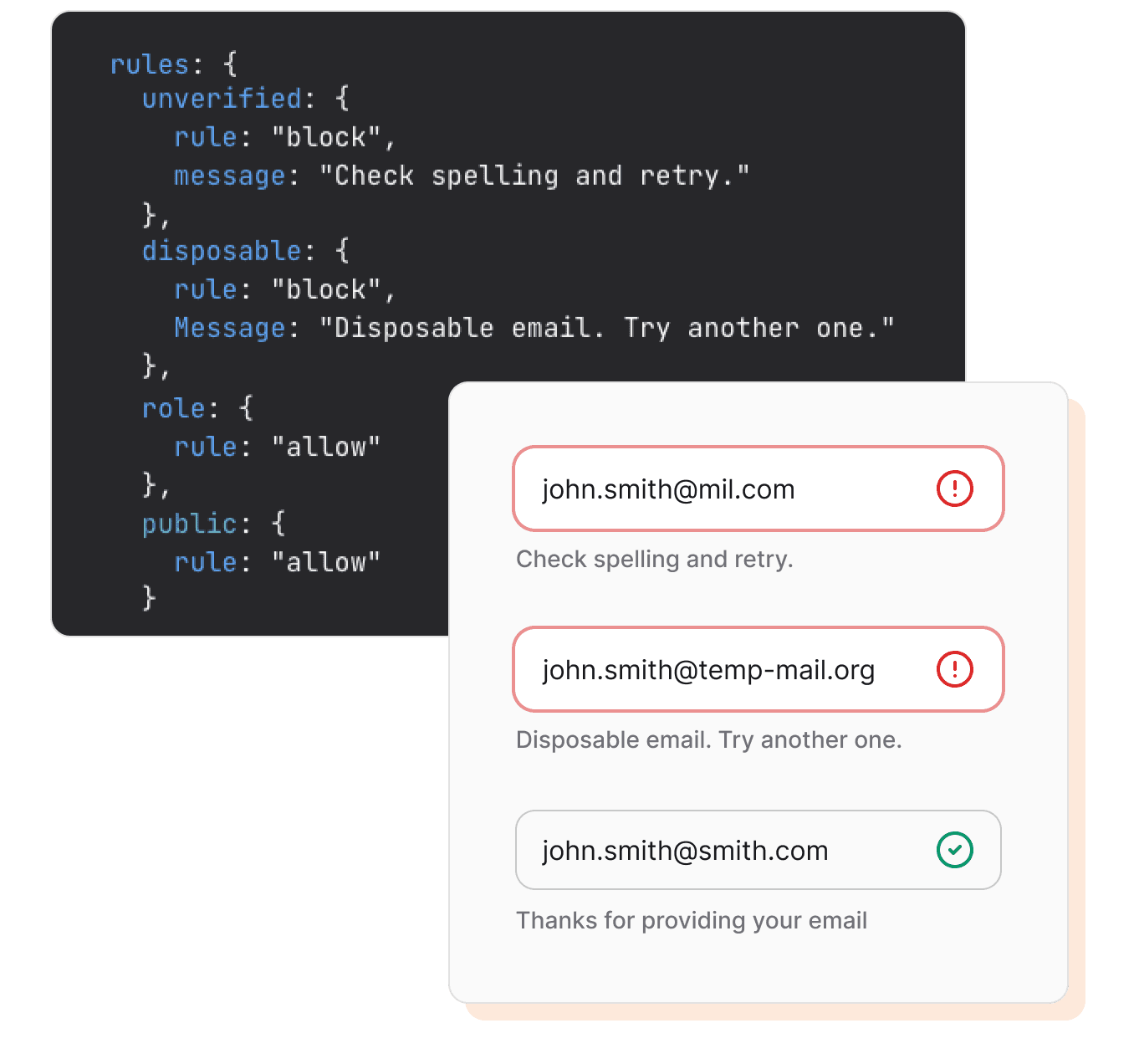
You can configure allow, warn, or block rules for the below attributes, giving you full control over data quality without compromising conversion.
Configurable attributes
Disposable: temporary or throwaway addresses
Role-based: shared inboxes such as support@ or info@
Public: emails from providers like Gmail or Yahoo
Unverified: emails that don’t pass our verification checks
SOC 2 Type 2 certified
Independently audited for security and privacy
15 years of experience
Verifying AU and NZ data since 2010
Australasian data sovereignty
Your data stays in-region, every time
Privacy compliant
Adhering to Australian Privacy Act
Email verification FAQs
Start verifying data in minutes
30-day free trial. No credit card required. Cancel anytime.